BGP Operational Stages, Peering, FSM & Configuration
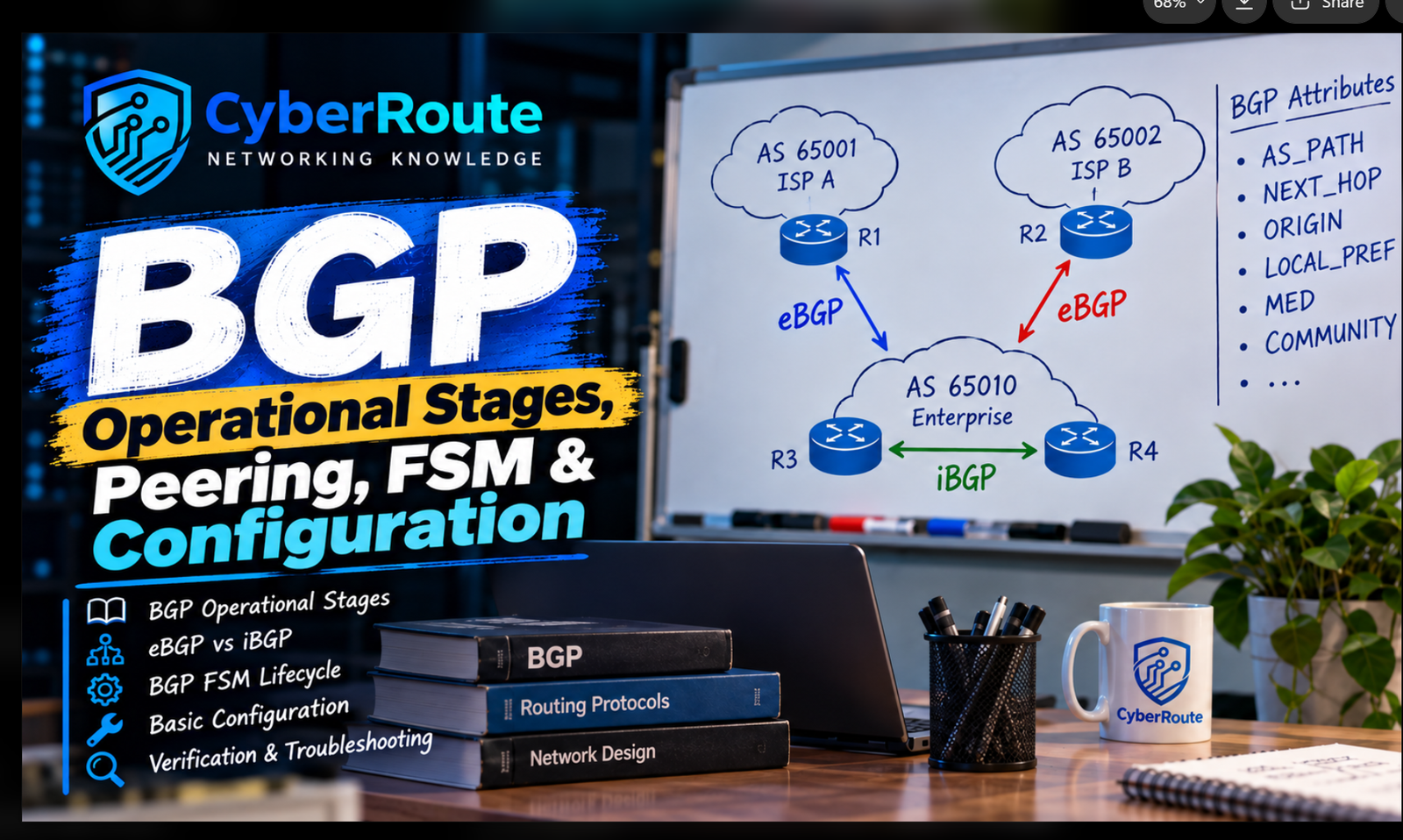
1. The Three Operational Stages of BGP
BGP operates through three main stages:
Neighbor Table Establishment: Routers establish a TCP connection using port 179 and form a BGP peering session.
BGP Table Building: BGP peers exchange UPDATE messages containing NLRI and path attributes. The router stores the learned routes in its BGP table.
IP Routing Table Selection: BGP evaluates available paths, selects its best path, and attempts to install the selected route into the IP routing table for packet forwarding.
2. eBGP vs. iBGP
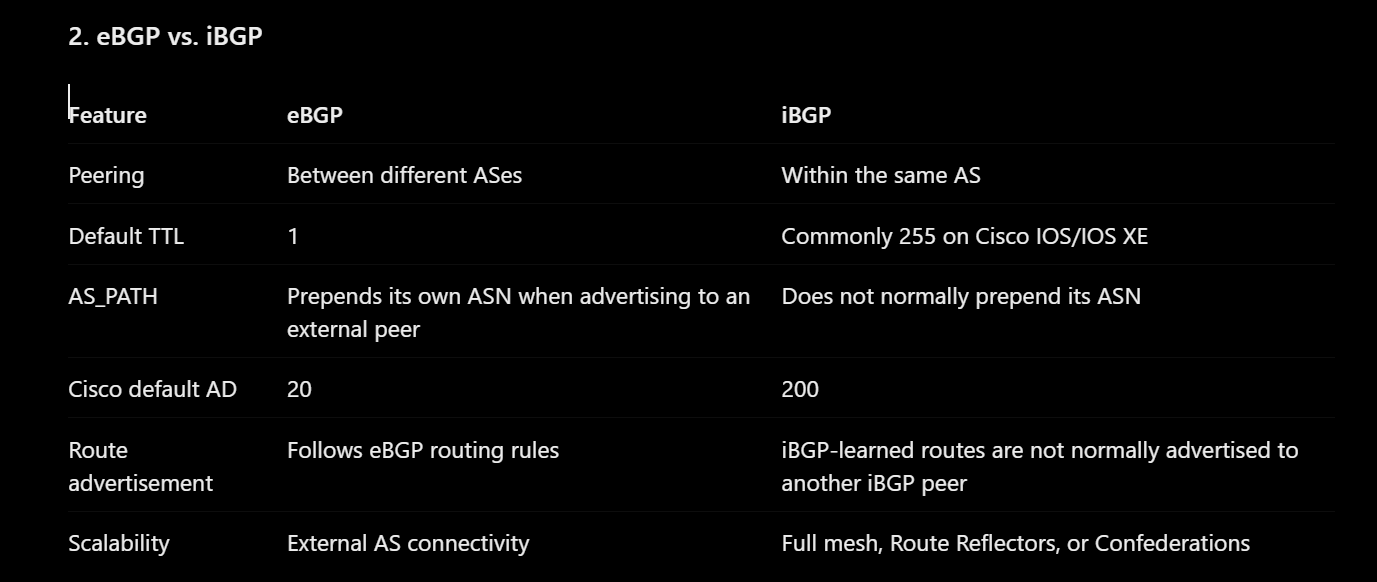
Note: TTL defaults can vary by vendor and platform. Cisco administrative distance values shown above are Cisco defaults, not universal BGP values.
3. BGP Finite State Machine (FSM)
BGP uses six states to establish a peering session:
Idle: Waits for a start event.
Connect: Attempts to establish a TCP connection.
Active: Attempts to establish or re-establish the TCP connection.
OpenSent: Sends an OPEN message and waits for the peer's response.
OpenConfirm: Waits for a KEEPALIVE message to confirm the session.
Established: The session is operational, and peers can exchange routing updates.
4. Basic BGP Configuration
Example Cisco IOS configuration for eBGP:
The network command normally requires the specified prefix to exist in the local routing table before BGP can advertise it.
Useful verification commands:
Discussion
No comments yet. Start the discussion.